CRIMPDEX
Android · Tindeq Progressor

Stop guessing how strong your fingers are.

CrimpDex turns a Tindeq Progressor into a proper testing tool. It measures, records and compares. It does not coach, nag, or ask you to sign up for anything.

Free for seven days. One payment after that, no subscription.

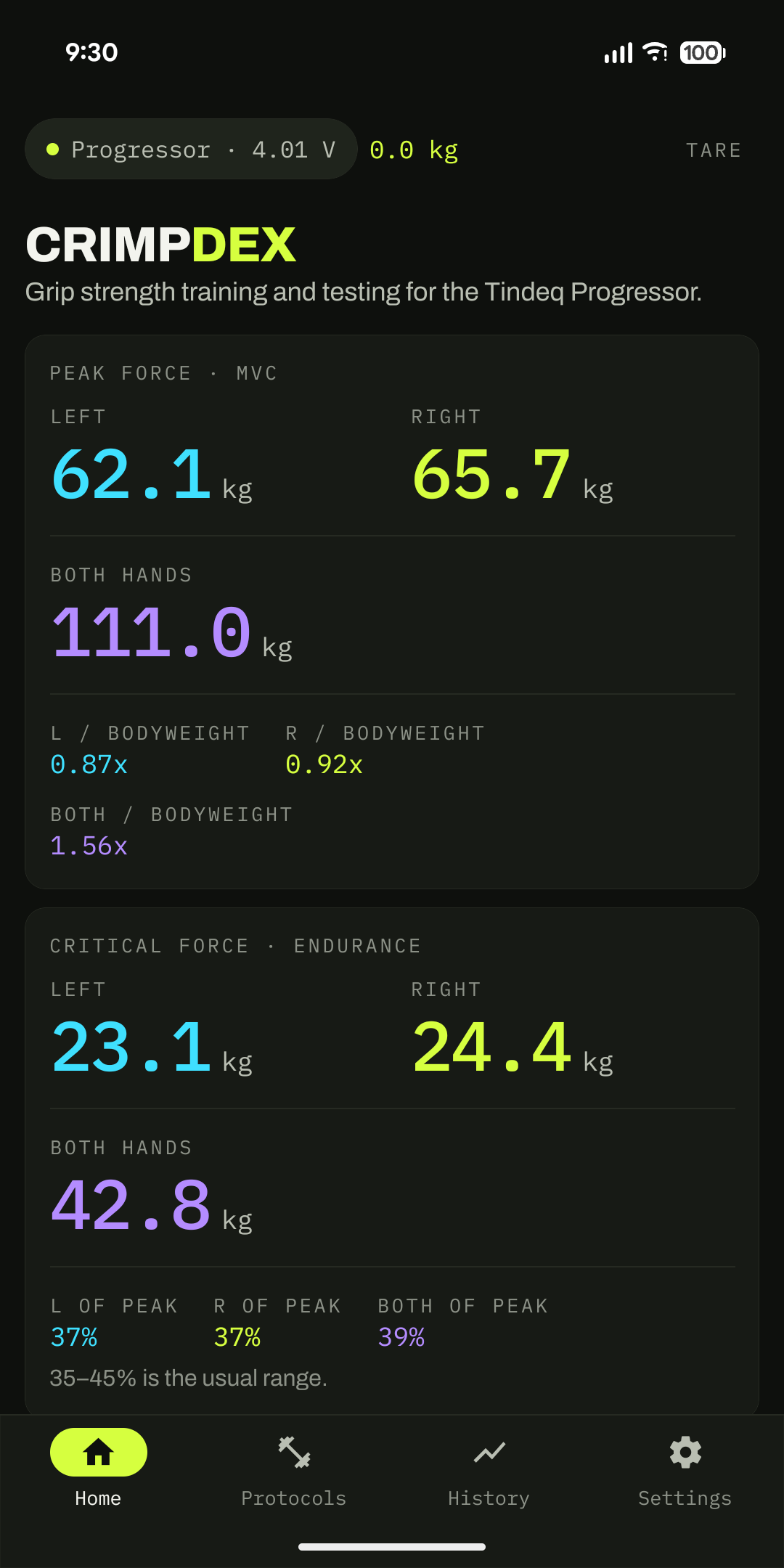
CrimpDex home screen showing peak force of 61.5 kg right and 62.5 kg left, critical force, and a left-right asymmetry bar.
2
Baseline tests, guided end to end
4
Training protocols built in
0
Accounts, servers, or trackers
20mm
Edge by default, and any depth you like
What it does

A measuring instrument, not a fitness app.

Everything here exists to answer one question: is this getting better or not? The numbers are the interface.

01

Live force over Bluetooth

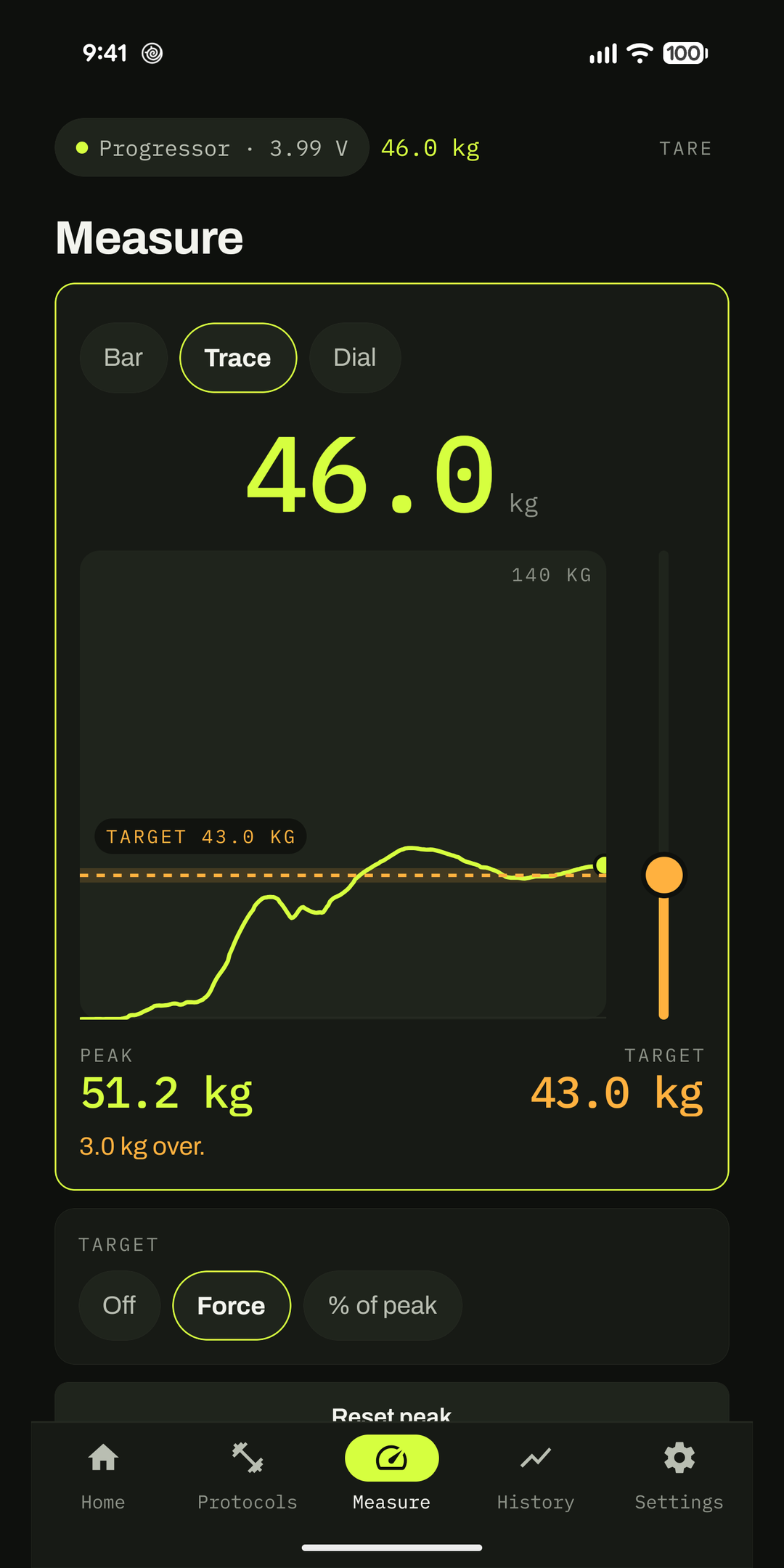
Connect the Progressor and read the load as it happens, at full sample rate. Tare from any screen. Every value is set in tabular monospace, so the digits hold their place instead of jittering while you pull.

02

Peak force, properly run

Three maximal attempts with the rest countdowns between them. CrimpDex tracks the live peak through each one and keeps the best. That is your ceiling.

03

Critical force, timed for you

The twenty-four rep protocol at seven seconds on, three off. Your critical force is calculated from the mean of the last six reps, once the curve has flattened.

04

The numbers behind the numbers

Strength to bodyweight. Left and right asymmetry, flagged past 10%. Critical force as a share of peak, with the range it usually sits in.

05

Protocols loaded from your data

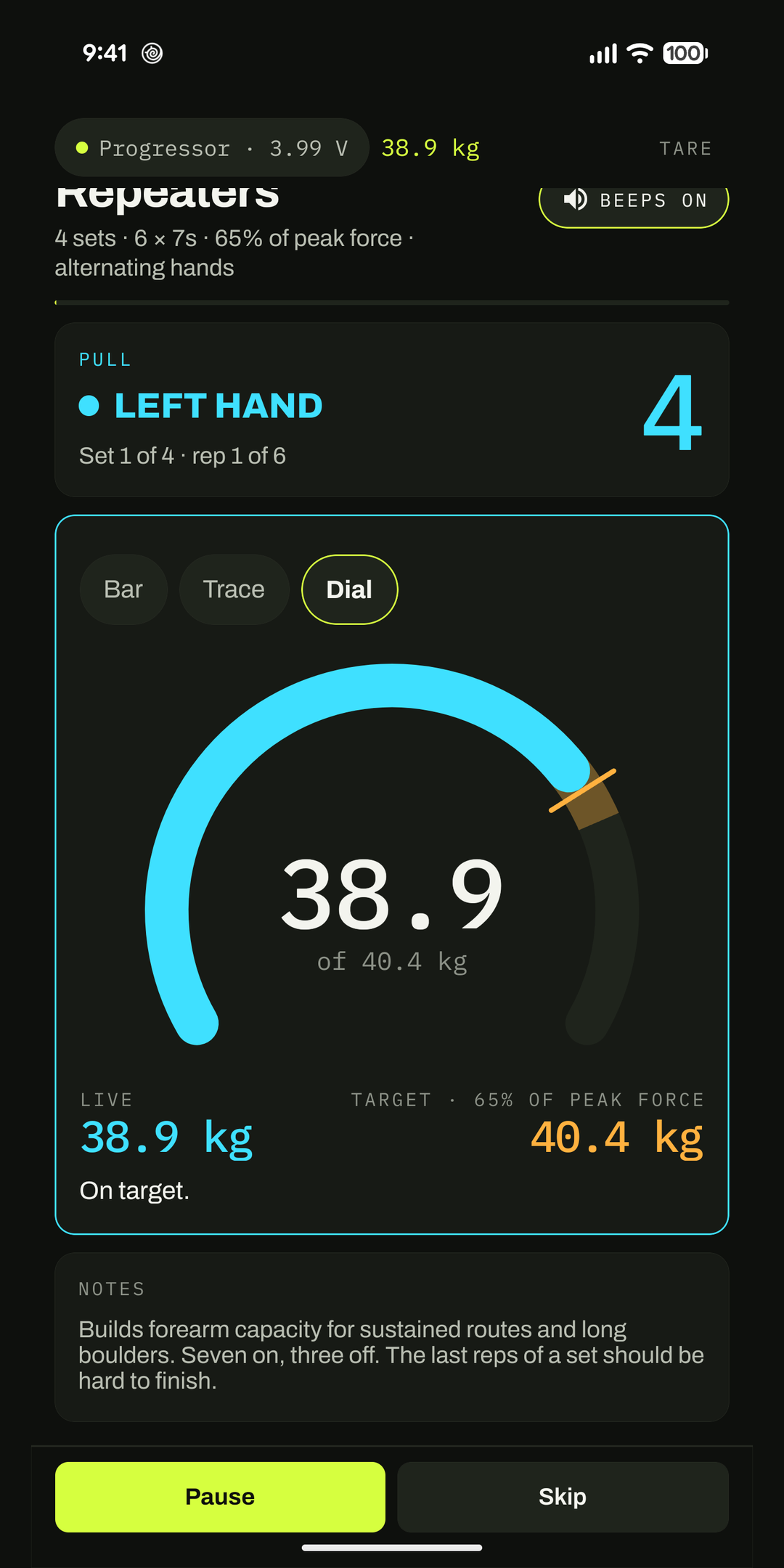
Max pulls, repeaters, density pulls and critical force intervals, each with a target load computed from your own baseline, an interval timer, and a live bar showing where you are against that target.

06

Build your own

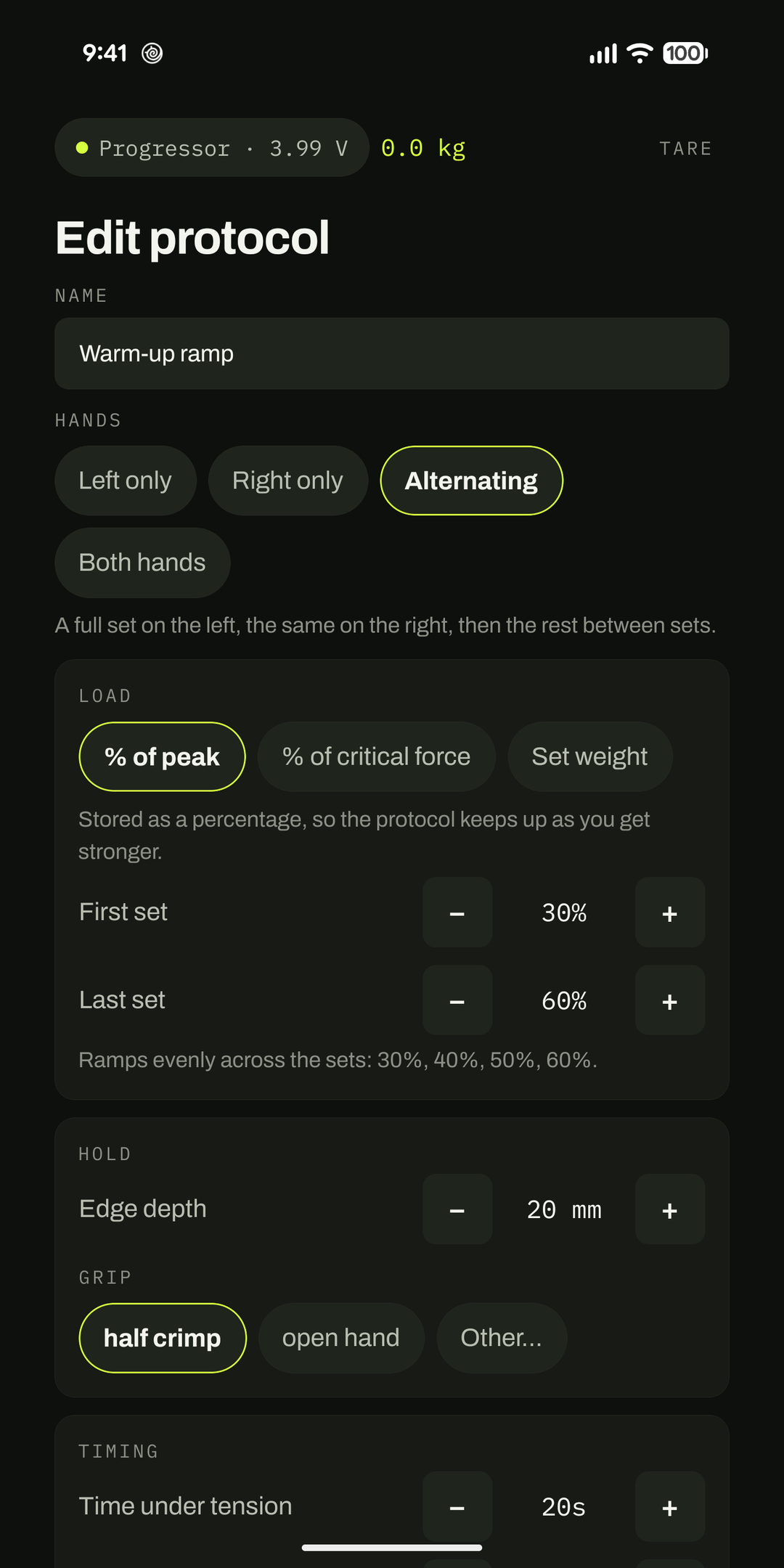
Hand, edge depth, time under tension, rest, reps, sets and rest between sets. Load as a share of your baseline, ramping across sets, or a fixed weight when you want a specific number. Alternating hands is a setting, not a workaround.
Screens

Ink, one accent, and the number you came for.

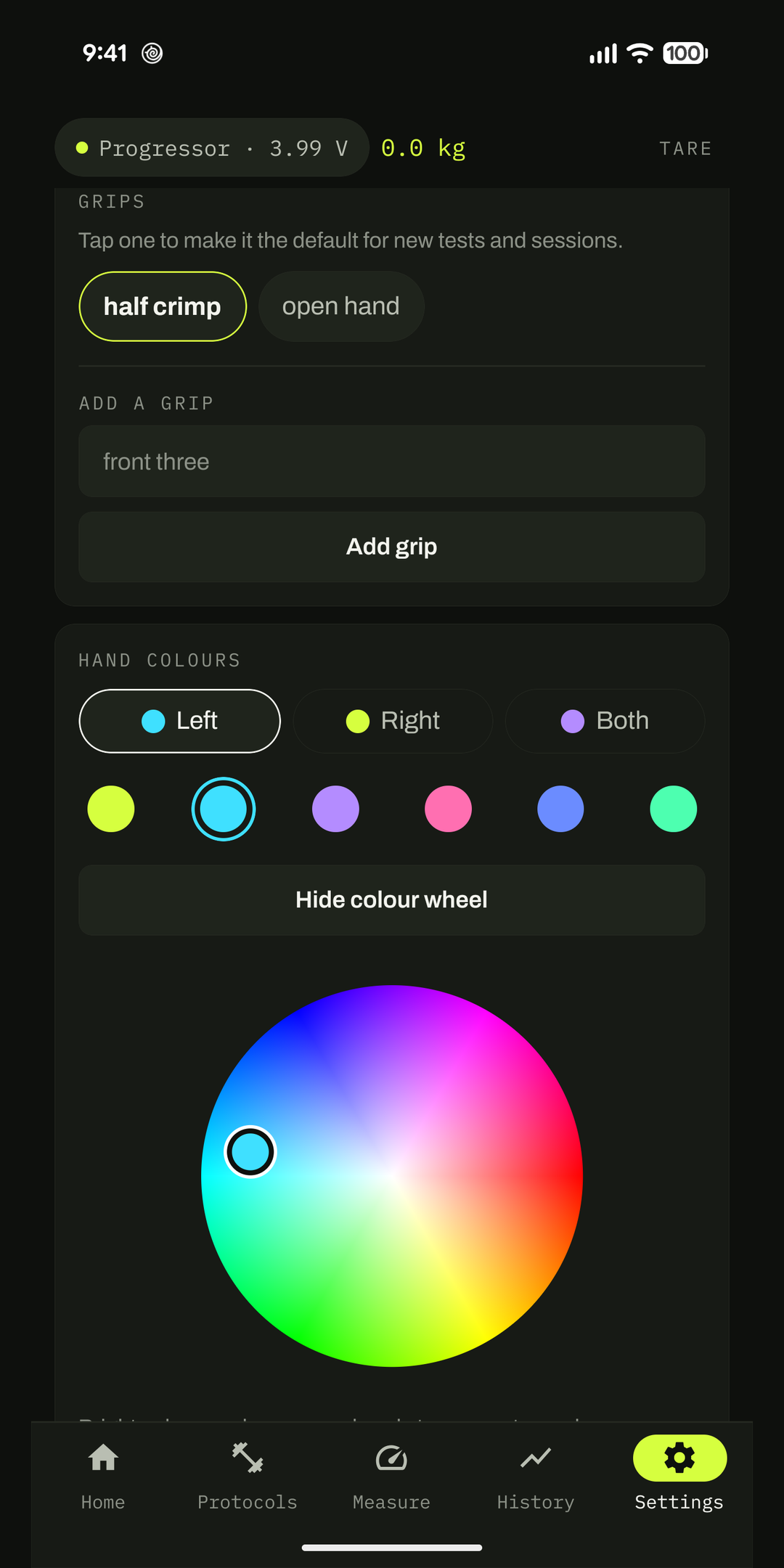
Right hand is always lime. Left hand is always cyan. On every screen, every chart, every reading, so you never have to check a legend mid-set.

Home screen with peak force, critical force, asymmetry and bodyweight.
Every baseline on one screenPeak, critical force, the ratios, and how far apart your hands are.
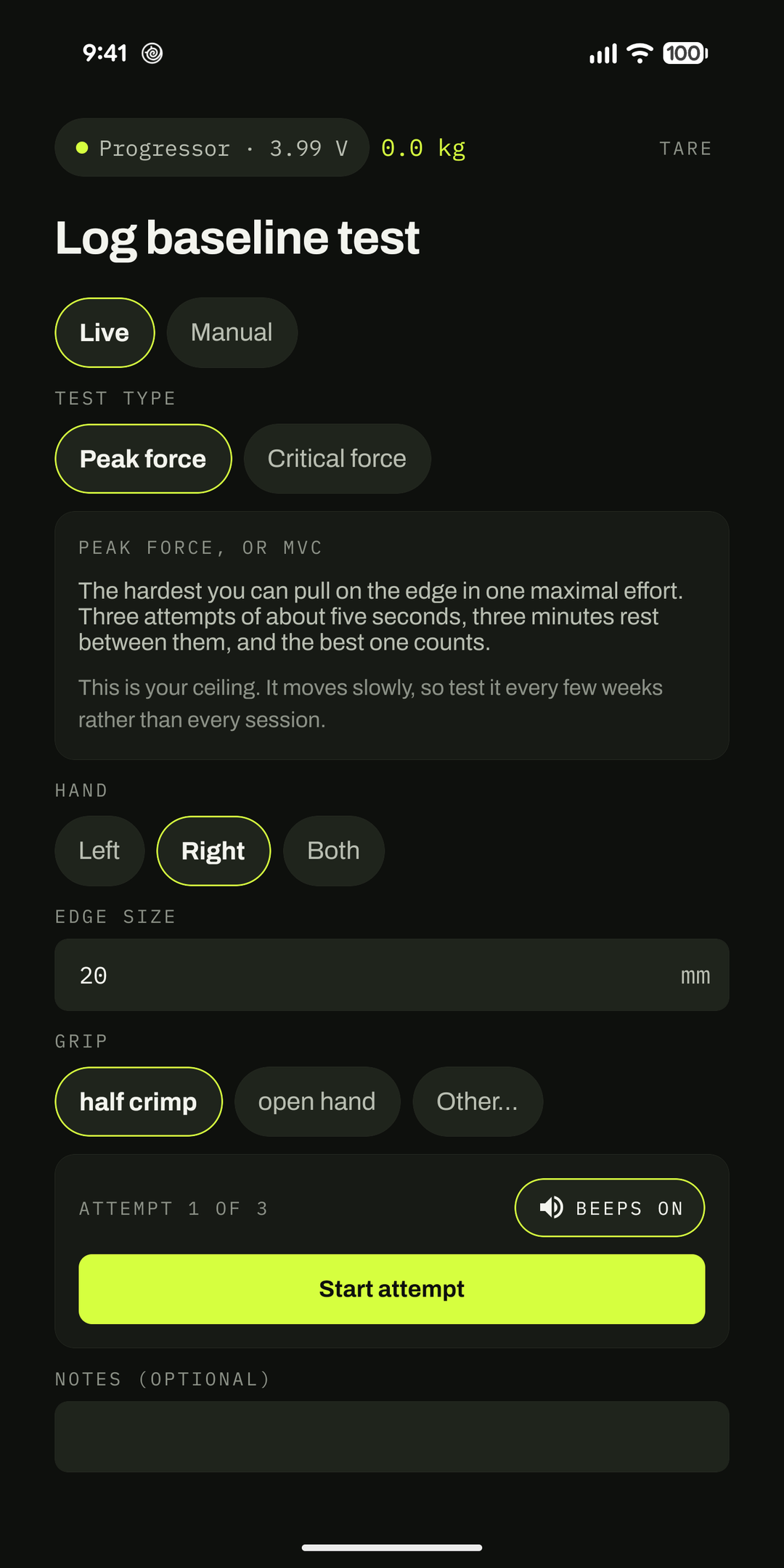
Log baseline test screen explaining what peak force measures.
Tests that explain themselvesWhat each one measures and how long it takes, before you start.
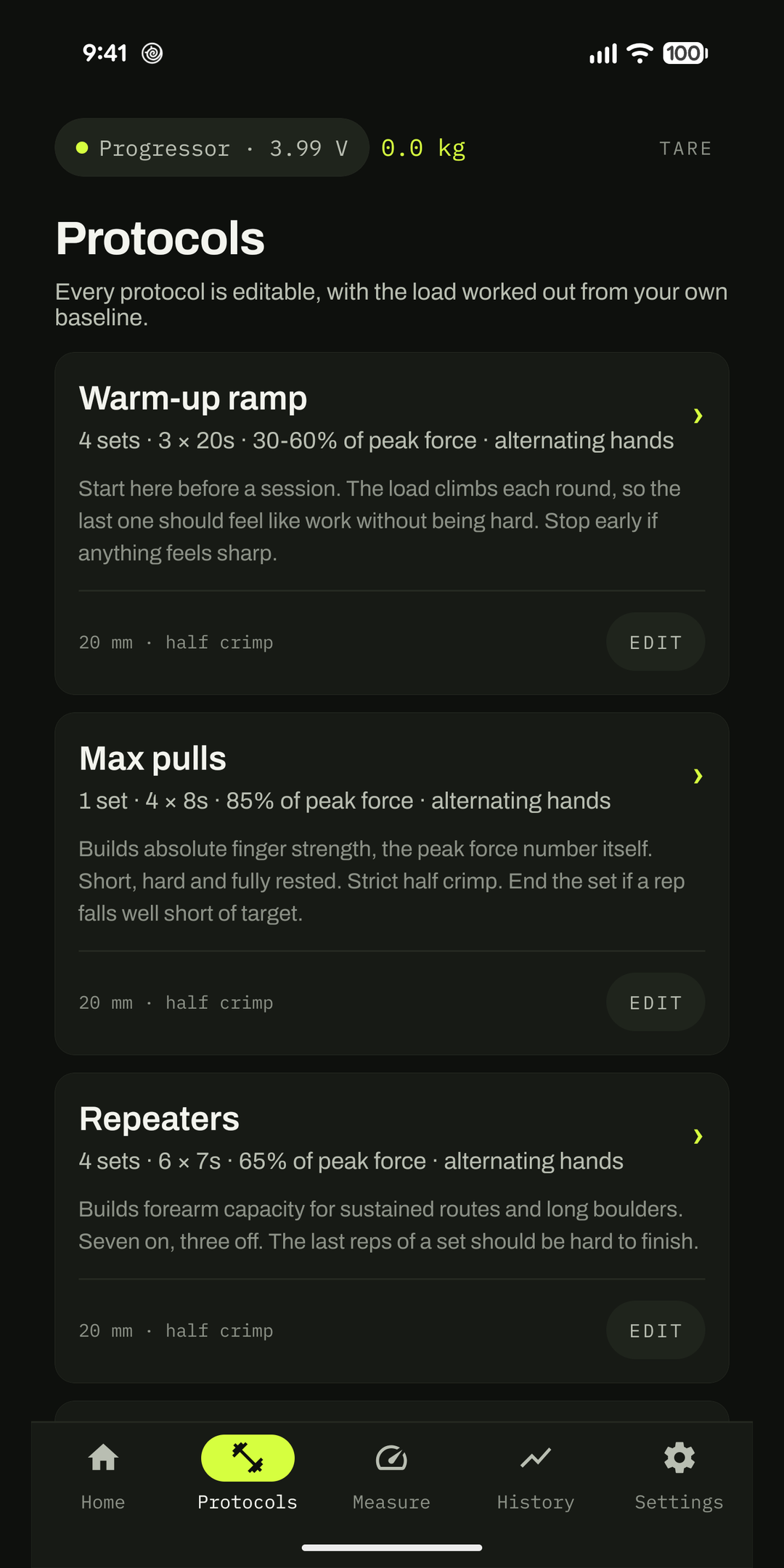
Training protocols list with target loads.
Targets, not guidelinesEach protocol carries a load worked out from your own measurements.
Custom session list showing a warm-up ramp protocol.
Your own protocolsStarts you off with a warm-up ramp you can run or take apart.
Protocol builder with hand mode and load controls.
Built in about a minuteSteppers, not keyboards, and a running total of what it all adds up to.
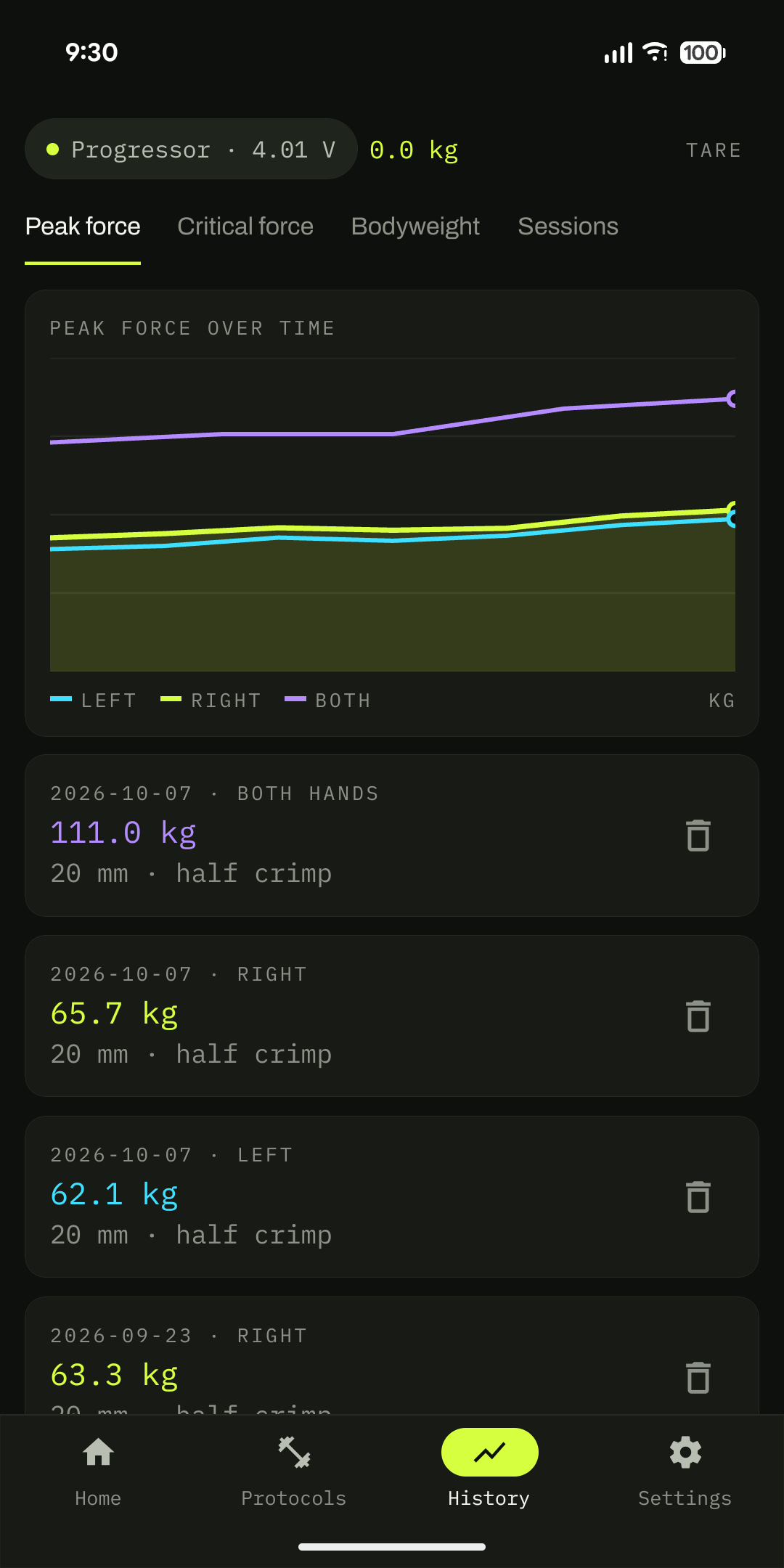
History chart of force over time.
Watch it moveForce axes start at zero, so a small gain looks like a small gain.
How it goes

Measure once, then train against the number.

01

Pair the Progressor

Bluetooth, no account, no setup wizard. CrimpDex finds it and starts reading.

02

Take a baseline

Peak force takes about ten minutes with the rests. Critical force takes four. Do each hand. No Progressor to hand yet? Type the numbers in from any test.

03

Train against it

Every protocol now knows what your 65% actually weighs. The timer runs the intervals and the bar shows whether you are on target, rep by rep.

04

Retest in a few weeks

Peak force moves slowly. Critical force moves faster. The chart shows both without flattering either.

Your data

It never leaves the phone, and that is enforced, not promised.

CrimpDex declares no internet permission at all. Android will not let it open a network connection under any circumstance, so there is no server to trust and no account to delete. Readings live in a private database on your device.

No account

Nothing to sign up for

No email, no password, no profile. Install it and start measuring.

No trackers

No analytics, no ads

No advertising SDK, no crash reporter, no third party collecting anything.

Your copy

Backed up only by Android

Android Auto Backup may copy the database into your own Google Drive, encrypted with your device passcode. That copy is yours, not ours. Full policy.

Price

Seven days free, then one payment.

No subscription, no renewal, no tiers, and no feature held back for a higher plan. The trial is the whole app.

After the trial
One payment
  • Every feature, during the trial and after it
  • Unlocks permanently against your Google account
  • Restores on a new phone with the same account
  • Your training data is never held hostage: it stays on the device either way

CrimpDex is in closed testing on Google Play. Get in touch and I will add you to the tester list.

Questions

The things people ask first.

Do I need a Tindeq Progressor?

For live measurement, yes. The Progressor is a Bluetooth load cell made by Tindeq, and CrimpDex reads from it directly. Without one you can still enter values by hand from any test and use every protocol, chart and calculation. CrimpDex is not a Tindeq product and is not affiliated with Tindeq.

Does it work without a signal?

Entirely. The app has no internet permission, so it could not phone home even if it wanted to. Everything runs on the device, unlock codes included.

What is critical force, and why should I care?

Peak force is the hardest you can pull once. Critical force is the load you can keep coming back to without fading, measured over twenty-four pulls. It usually lands between 35% and 45% of peak. Peak tells you about one hard move; critical force tells you whether you will still be holding on near the top of the route.

Can I train one hand at a time?

Yes. A custom protocol can be left hand only, right hand only, or alternating, where a full set on one hand is followed by the same on the other before the rest between sets.

Can I set a target in kilograms rather than a percentage?

Yes. A custom protocol's load can be a share of your peak force, a share of your critical force, or a fixed weight in whichever unit you have chosen in Settings. Percentages keep up as you get stronger; a fixed weight is there for rehab loads and anything a physiotherapist has written down.

Which Android versions?

Android 8.0 and later, on a phone with Bluetooth Low Energy. Built and tested against Android 16.

How do refunds work?

The purchase goes through Google Play, so Play's own refund process applies. Request one from your Google Play order history, or email me and I will help sort it out.

Support

One person builds this, and answers the email.

Bugs, a reading that looks wrong, a protocol you cannot express in the builder, or a request to join the tester list. It all goes to the same address.

Email

Get in touch

[email protected]

Say which phone you are on and, if a number looked wrong, what you expected instead.

Privacy

What is collected

Nothing, and the app cannot open a network connection to change that. Read the policy.

Deleting data

Uninstall is the delete button

There is no account to close. Removing the app removes the database with it. To clear it without uninstalling, use Android's Clear storage for CrimpDex.